Introducing Autopilot: From Zero to a Fully Personalized AI HR Teammate in Six Weeks
Autopilot learns from your existing tickets, policies, and emails to identify, build, and continuously improve the HR workflows that matter most.

Most HR leaders I speak with understand what AI in HR could mean for their team, and many have started exploring it. But, getting from exploration to something live and working is where most projects stall.
It’s not for lack of ambition. It’s because these are leaders who have lived through enough technology rollouts — ERP implementations, HCM upgrades, RPA pilots — to be appropriately skeptical when a new technology vendor tells them this one will be transformative.
We recently asked 100 senior HR leaders what was holding them back. Three answers came up over and over.
- "We don't have the capacity to set it up and maintain it." (35%). Leaders believe their most capable people would need to become part-time product managers, mapping workflows and building logic on top of the jobs they already have. Most teams don't have those hours to give.
- "We're worried about wrong answers and compliance risk." (28%). AI from a generic platform, operating on logic you don't understand, can give the same wrong answer to every employee who asks, confidently and at scale, until someone catches it. And if that happens, HR owns it.
- "We don't know where to start." (21%). Not all HR workflows carry the same impact. Some are high-volume but low stakes. Others are low volume but consume the most time and carry the most risk. Figuring out which to start with, without running a lengthy discovery project, can stop teams before they start.
So the project goes on next quarter's list. And it's been there for a few quarters now.
The hesitation makes sense. When your options are a lengthy build before you see any value, or a generic chatbot that can recite your policies but can't reason through a real case, not choosing feels like the rational call.
But what if you didn't have to make that tradeoff?
Introducing Wisq Autopilot
At Wisq, we created Harper, the world's first AI HR teammate. She handles the cases, conversations, and workflows consuming HR teams, with the compliance reasoning and judgment that HR's stakes demand.
Autopilot is the on-ramp to Harper. It eliminates the months of manual workflow configuration that have always been the price of entry for HR AI, and replaces them with something that takes days instead.
How?
Instead of asking your team to spend a quarter teaching a system how you operate, Autopilot learns it from the work you've already done.
You hand Autopilot your existing tickets, policies, and emails. It analyzes them, identifies your top workflow candidates, finds the patterns in how your team actually resolves cases, recommends the integrations your team will need, and then builds the initial workflows.
Your team simply reviews and approves.
Because Autopilot analyzes your actual case history, Harper arrives already configured to your policies, your procedures, and the way your team actually works. She shows up reasoning the way your HR team reasons, not the way a generic model guesses.
How it works
Step 1: You share your history.
Your existing tickets and emails are the real record of how your team operates: your procedures, your handoff triggers, the judgment calls your team makes on leave cases, accommodations, and employee relations issues, and the path from intake to close. Autopilot reads all of it. That analysis normally fills a consultant's quarter. Autopilot does it in a few hours.
Step 2: Autopilot decides where to start.
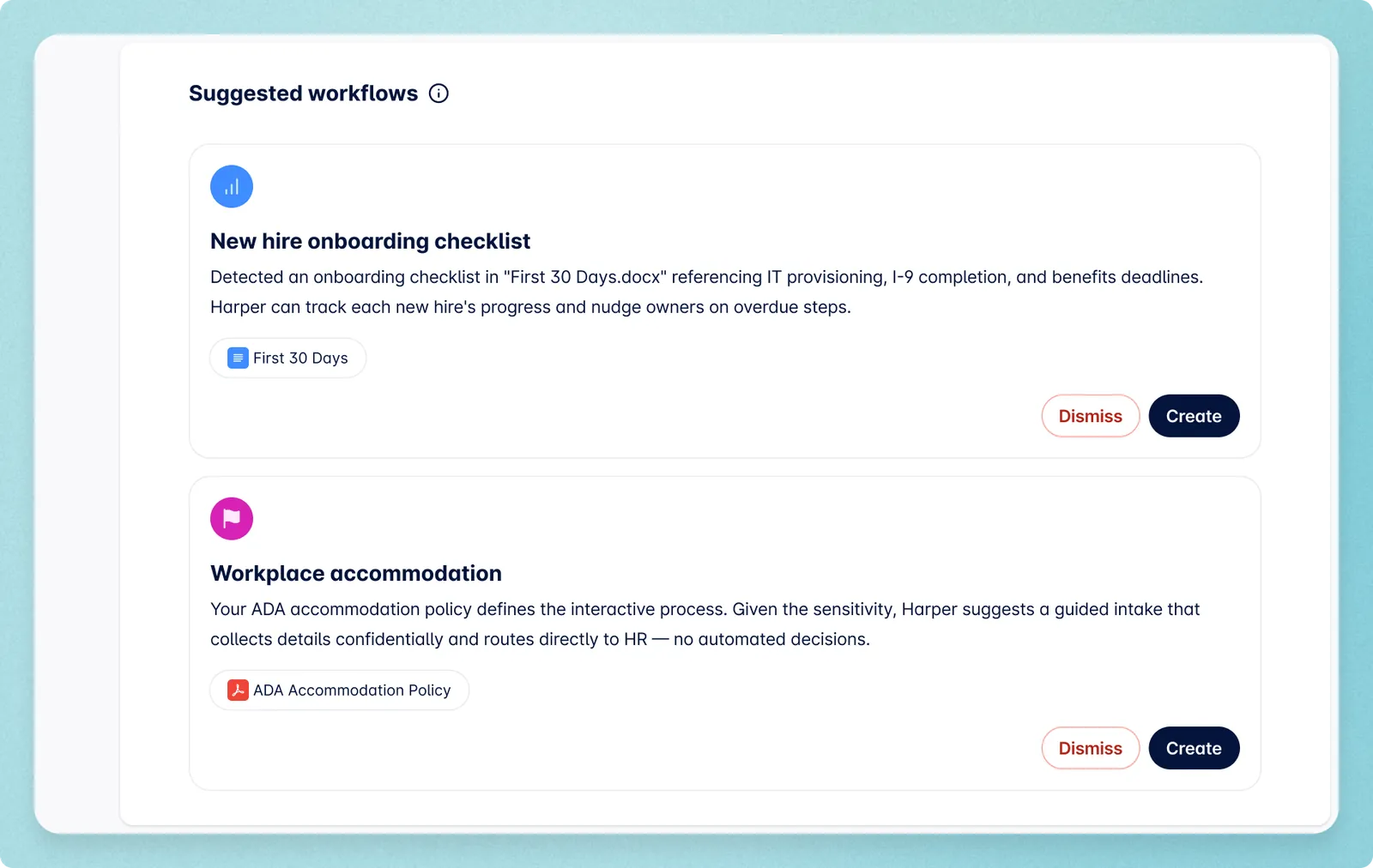
Without good data on case volume and resolution patterns, teams tend to automate what's most visible, not what's consuming the most time. Autopilot reads your actual case history and puts the highest-impact workflows first, from the routine questions that never stop coming to the multi-step cases like leave, job changes, and corrective action that quietly consume a team's capacity.
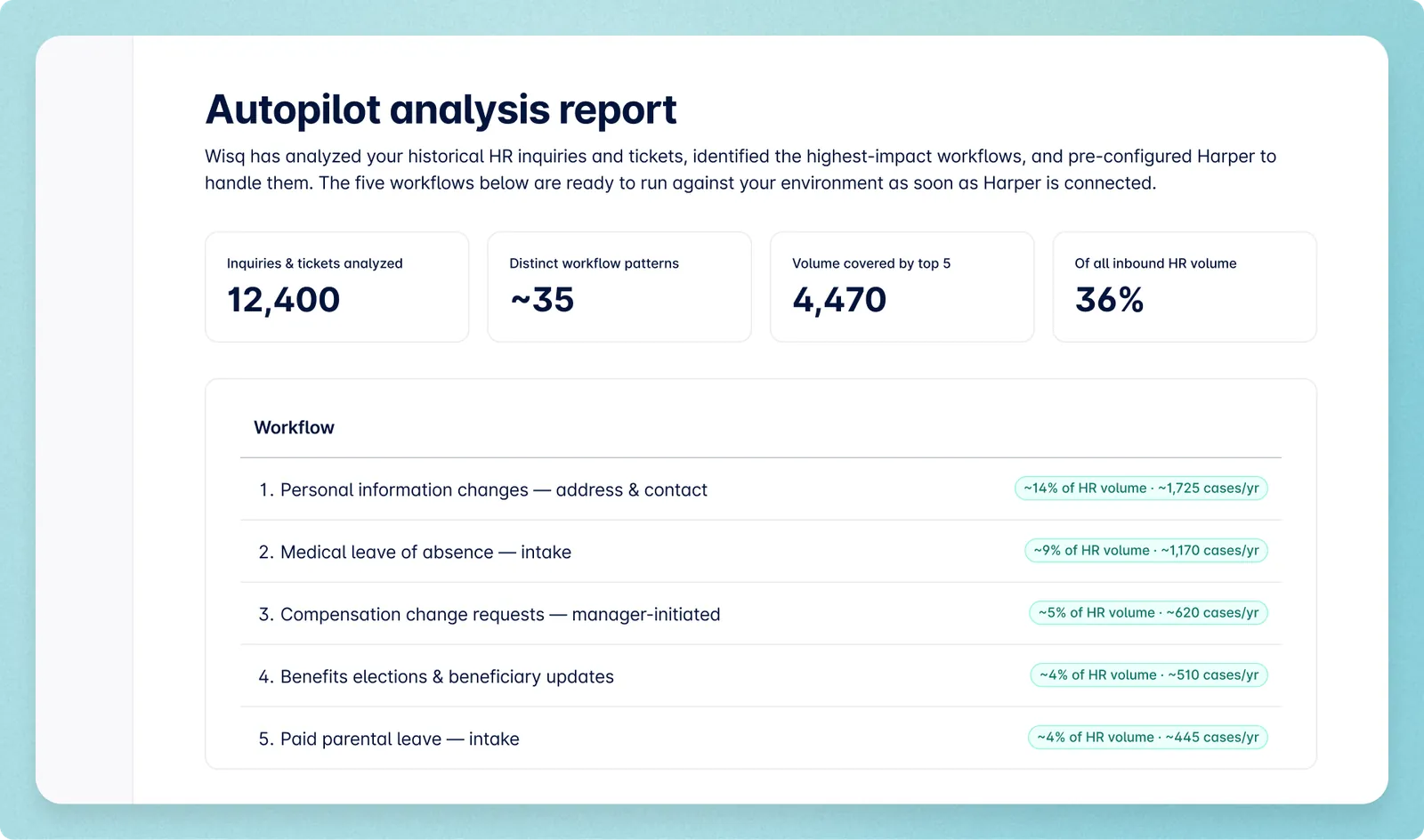
Step 3: Autopilot builds the workflows.
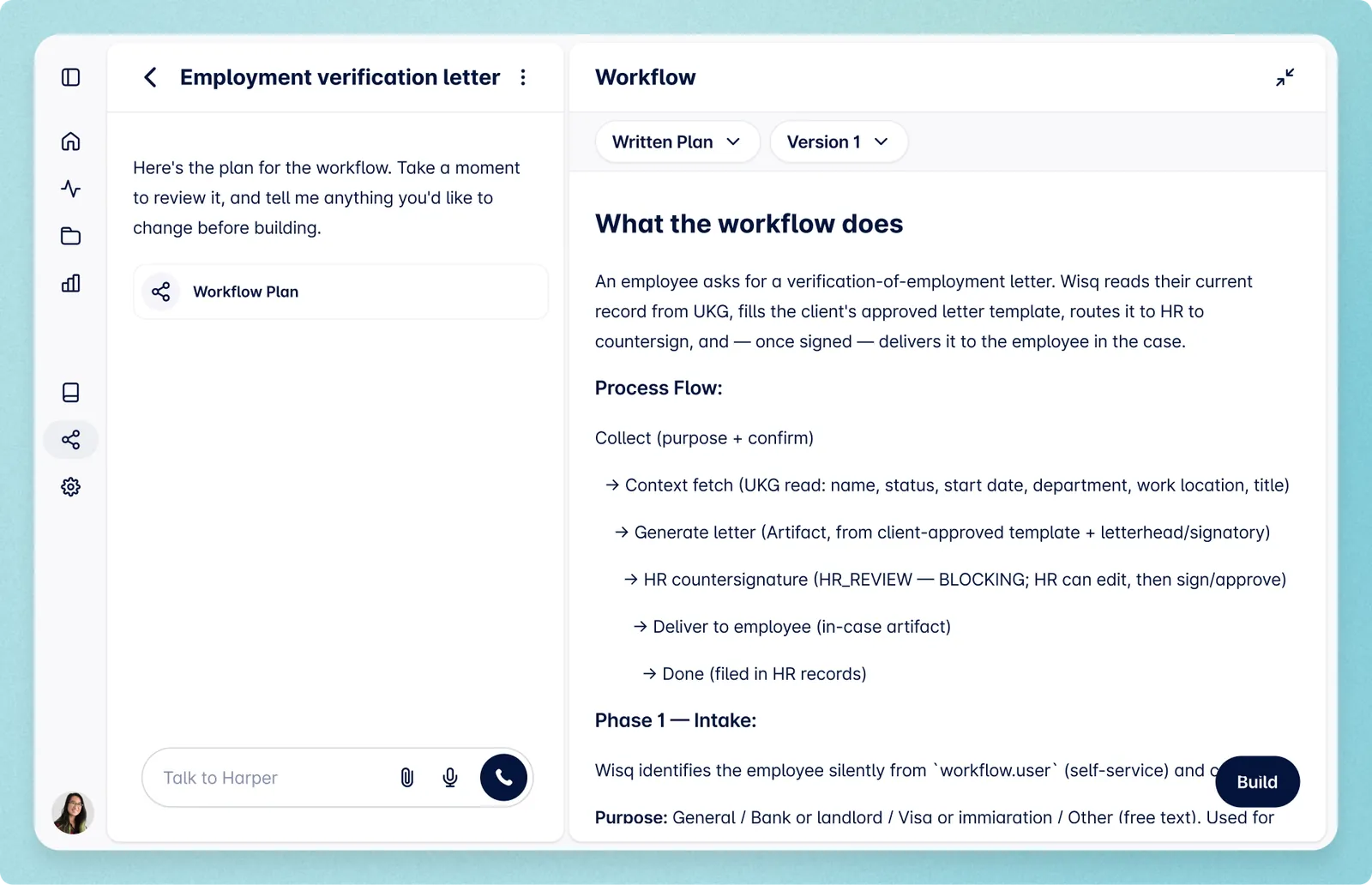
It configures a preliminary version of each workflow, grounded in your data, and gets Harper ready to run it from intake to resolution. Not to answer the easy questions and hand off the rest. To handle the whole case, the way your team would.
Step 4: You approve.
Your team reviews each workflow, edits it, tests it, and signs off. Nothing goes live that you didn't approve. In work this sensitive, that step isn't optional. It's the difference between automation you can stand behind and automation that creates compliance exposure.
Step 5: Harper goes live.
In production, in weeks, already reasoning the way your HR team reasons.
A teammate that keeps getting better
Most enterprise software works the same way on day 365 as it did on day one. Your organization changes; the tool doesn't.
Autopilot, however, doesn’t stop at launch. It runs continuously after Harper goes live, analyzing your evolving case load to surface new workflow candidates, build updated versions as your policies change, and find where Harper can take on more.
As a result, Harper handles more in month six than she did in week one. The capacity you get back isn't fixed at whatever the initial configuration delivered. It grows, and it keeps growing without your team having to drive every enhancement.
What Harper gives back
Your best HR people should be working on talent strategy, building the programs that develop and retain your best people, and doing the org design work that shapes where the business goes. Instead, too many of them are routing tickets, chasing approvals, and answering the same question for the hundredth time. Every hour spent on that work is an hour that doesn't go where it can make the largest impact.
Autopilot exists to give that time back, with answers your team can truly stand behind.
Most vendors hand you software and a long road to make it useful, or a fast road to something generic. We'd rather hand you an AI HR teammate that already knows the job.
Wisq Autopilot is available now for customers.
See a real Autopilot analysis. Download a sample report to see the analysis Autopilot generates to inform which workflows Harper prioritizes first.
Book a demo. See Harper in action on your most time-consuming workflows in a 30-minute session with our team.